Get started with Super Bot Fight Mode (Pro)
Super Bot Fight Mode is included in your Pro subscription. When enabled, the product:
- Identifies traffic matching patterns of known bots
- Can challenge or block bots
- Offers protection for static resources
- Provides limited analytics to help you understand bot traffic
Enable Super Bot Fight Mode
To start using Super Bot Fight Mode:
- Go to Firewall > Bots.
- Select Configure Super Bot Fight Mode.
- Choose how your domain should respond to various types of traffic:
- See Static resource protection for more additional details on supported file types
- See JavaScript detections for more information on invisible code injection
Analytics
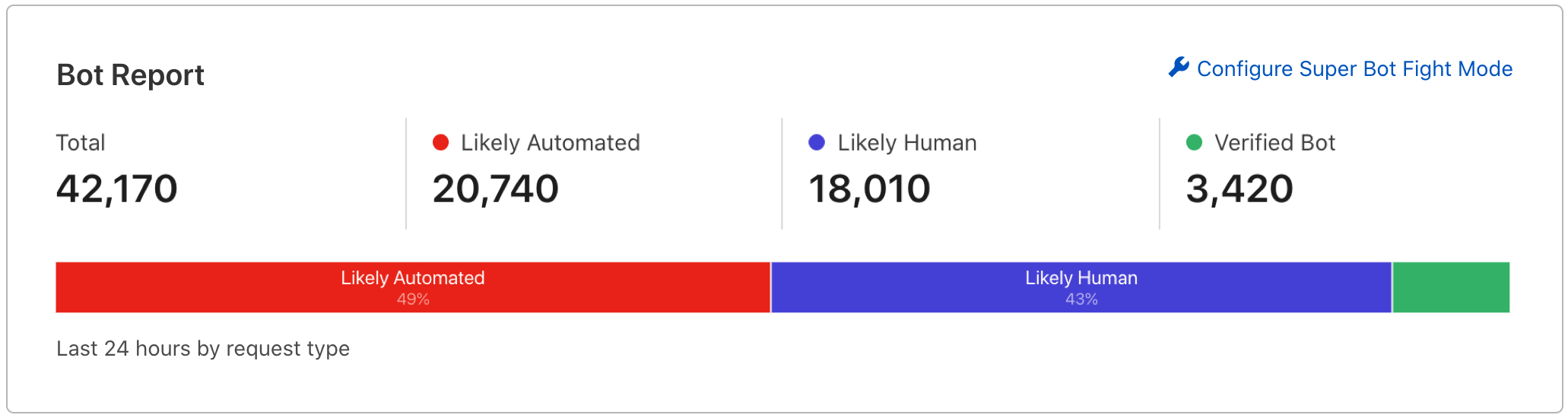
Bot Report
Use the Bot Report to monitor bot traffic for the past 24 hours.
To access the Bot Report, go to Firewall > Bots. If you see a double-digit percentage of automated traffic, you may want to upgrade to Bot Management to save money on origin costs and protect your domain from large-scale attacks.
Firewall events
You can see bot-related actions by going to Firewall > Overview. Any requests challenged by this product will be labeled Super Bot Fight Mode in the Service field. This allows you to observe, analyze, and follow trends in your bot traffic over time.
Ruleset Engine
Super Bot Fight Mode runs during the http_request_firewall_managed phase of the Ruleset Engine.