Create a mTLS rule
Use the Mutual TLS Rule interface in the Cloudflare dashboard to create a mTLS rule that requires requests to your API or web application to present a valid client certificate.
Before you can create a mTLS rule, you must do the following:
- Create a client certificate .
- Configure your mobile app or IoT device to use your Cloudflare-issued client certificate.
- Enable mutual Transport Layer Security (mTLS) for a host in your zone.
Use the Mutual TLS Rule interface
To create a mTLS rule in the Cloudflare dashboard, follow these steps:
Log in to your Cloudflare account Home page and click the zone containing the host you want to protect with mTLS.
Click the Firewall app.
The Firewall Overview displays.
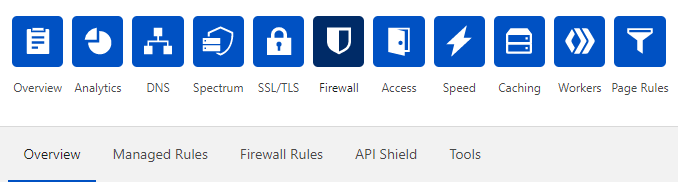
Click the Firewall Rules tab.
The Firewall Rules card displays.
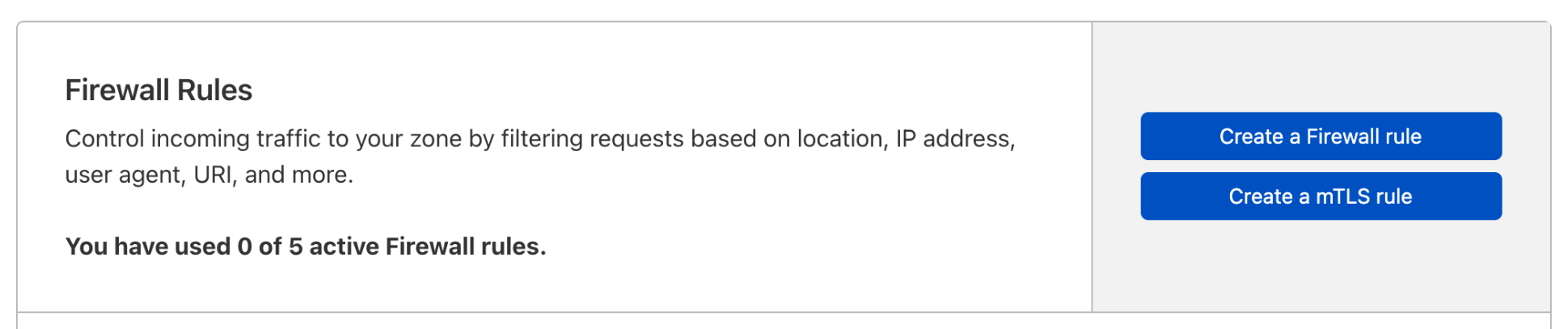
Click Create a mTLS rule.
The Mutual TLS Rule dialog displays.
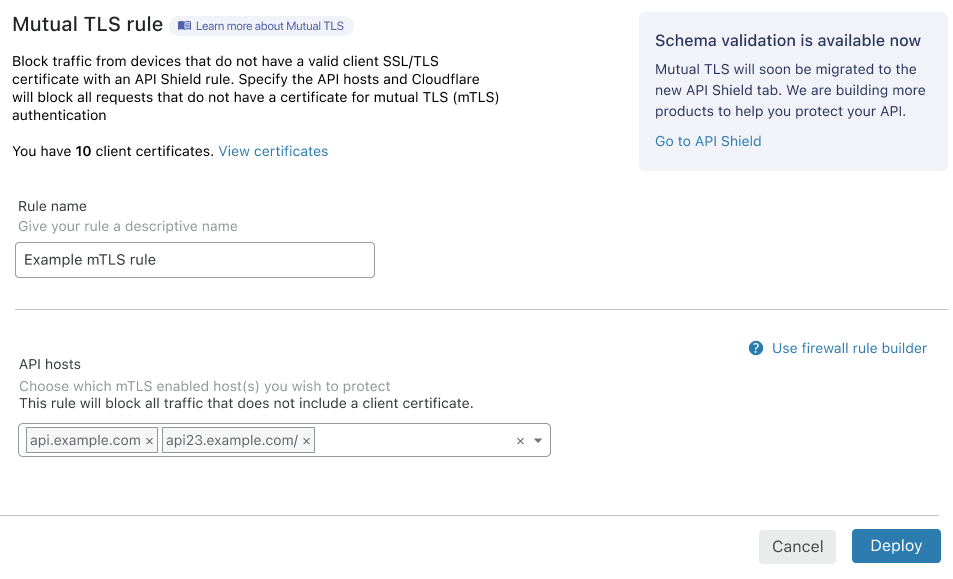
Enter a descriptive identifier for your mTLS rule in the Rule name input.
Enter the hosts you want to protect with your mTLS rule in the API hosts input. By default, all available hosts are listed. Only hosts in the zone you selected in Step 1 and for which you enable mTLS are available. To remove a host from the rule, click the associated X icon.
To create your rule and make it active, click Deploy.
The Mutual TLS Rule dialog closes and the Firewall Rules card displays with your new rule in the list.
Once you have deployed your mTLS rule, configure your mobile app or IoT device to use your Cloudflare-issued client certificate.
Review your rule in the Expression Builder
To review your mTLS rule in the Firewall Rules Expression Builder, click the wrench icon associated with your rule.
The Edit Firewall Rule dialog displays, and the Expression Builder’s visual interface renders your mTLS rule:
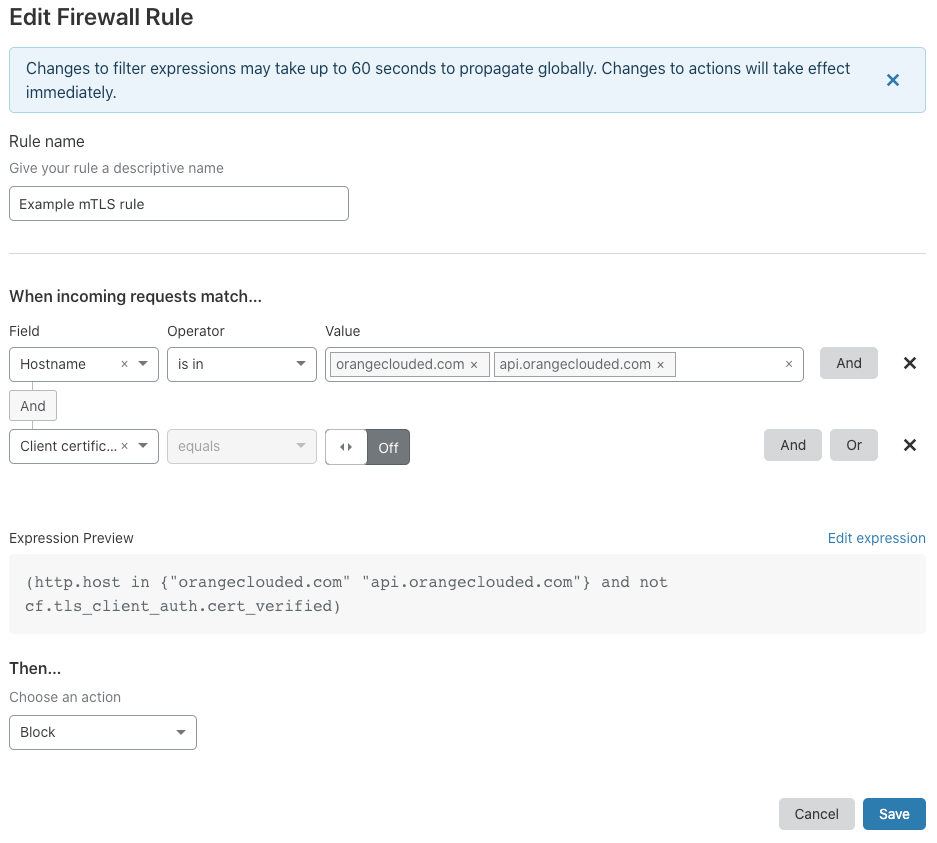
Note Expression Preview. Your mTLS rule includes a compound expression formed from two simple expressions joined by the and operator.
The first expression uses the http.host field, combined with the in operator, to capture the hosts your mTLS rule applies to.
The second expression — not cf.tls_client_auth.cert_verified — returns true when a request to access your API or web application does not present a valid client certificate.
Because the action for your rule is Block, only requests that present a valid client certificate can access the specified hosts.
Check for revoked certificates
Since you can revoke client certificates , you can add a mTLS rule that checks if the certificate included in the request has been revoked. To create such a rule you must use the Expression Editor.
When a request includes a revoked certificate, the cf.tls_client_auth.cert_revoked field is set to true. You can create a rule using this field to block requests that include a revoked certificate.
For example, the following Firewall rule blocks incoming requests that include a revoked certificate:
- Rule expression:
cf.tls_client_auth.cert_revoked - Action: Block
You can also use a single mTLS rule to block requests that do not include a valid client certificate or that include a revoked certificate. You must also use the Expression Editor to enter this rule expression.
For example, you could define a rule expression similar to the following:
http.host == "example.com" and (not cf.tls_client_auth.cert_verified or cf.tls_client_auth.cert_revoked)