Monitors
A monitor issues health checks at regular intervals to evaluate the health of an origin pool . When a pool becomes unhealthy , your load balancer takes that pool out of the server rotation.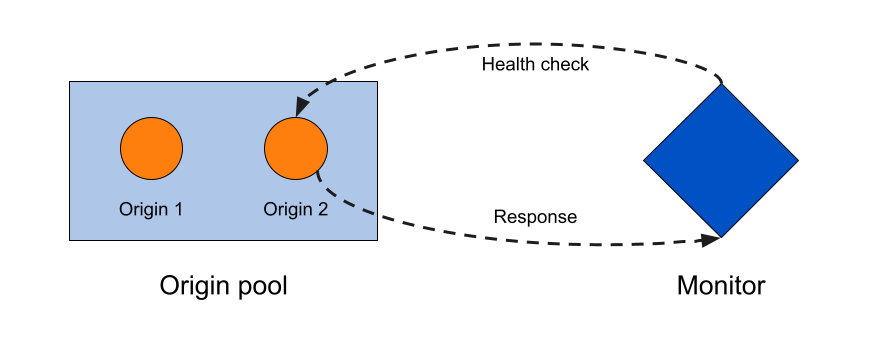
Health checks that result in a status change for an origin server are recorded as events in the Load Balancing event logs.
Properties
For an up-to-date list of monitor properties, refer to Monitor properties in our API documentation.
Create monitors
For step-by-step guidance, refer to Create monitors .
Host header prioritization
When a load balancer runs health checks, headers set on an origin override headers set on a monitor. For more details, refer to Override HTTP Host headers .
API commands
The Cloudflare API supports the following commands for monitors. Examples are given for user-level endpoint but apply to the account-level endpoint as well.
| Command | Method | Endpoint |
|---|---|---|
| Create Monitor | POST | user/load_balancers/monitors |
| Delete Monitor | DELETE | user/load_balancers/monitors |
| List Monitors | GET | user/load_balancers/monitors |
| Monitor Details | GET | user/load_balancers/monitors/:identifier |
| Update Monitor | PUT | user/load_balancers/monitors |
| Preview Monitor | POST | user/load_balancers/monitors/:identifier/preview |